Register for Multi-Factor Authentication
All first-time Contractor users must register for Multi-Factor Authentication (MFA) before logging in.
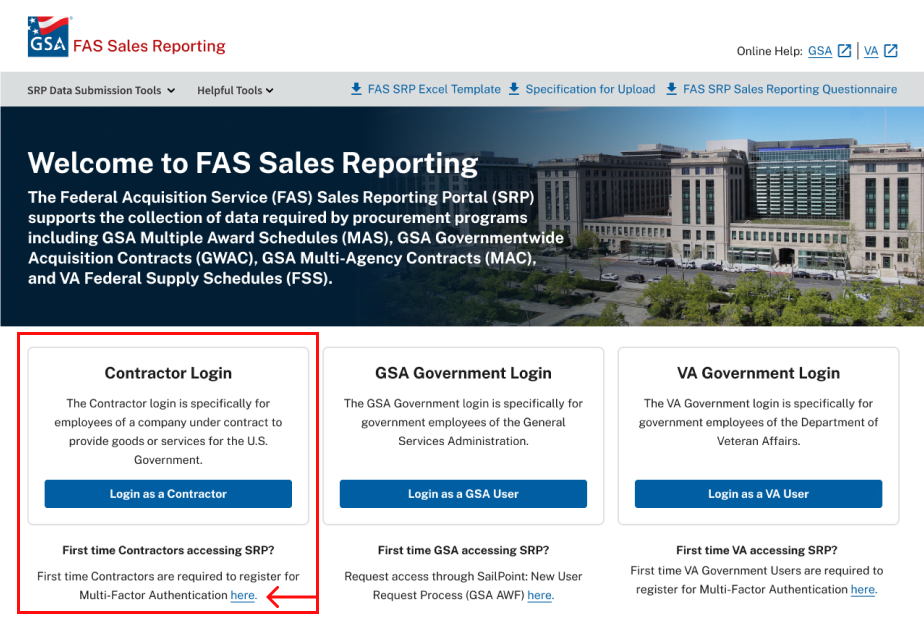
- Navigate to the FAS SRP home page.
- Under For first time Contractor Login, select the "here" link.
- You will be redirected and prompted to register for MFA.
- Complete the MFA registration process.
- Enter your First Name, Middle Name (Optional), Last Name, and Email.
- The email address provided during registration must be an exact match in at least one of the following POC fields on your GSA contract to gain access: Authorized Negotiator, IFF POC, Admin POC
- Select No for the Are you a VA User? question, and then select Submit.
Important: Contractor Users must always select No for this question.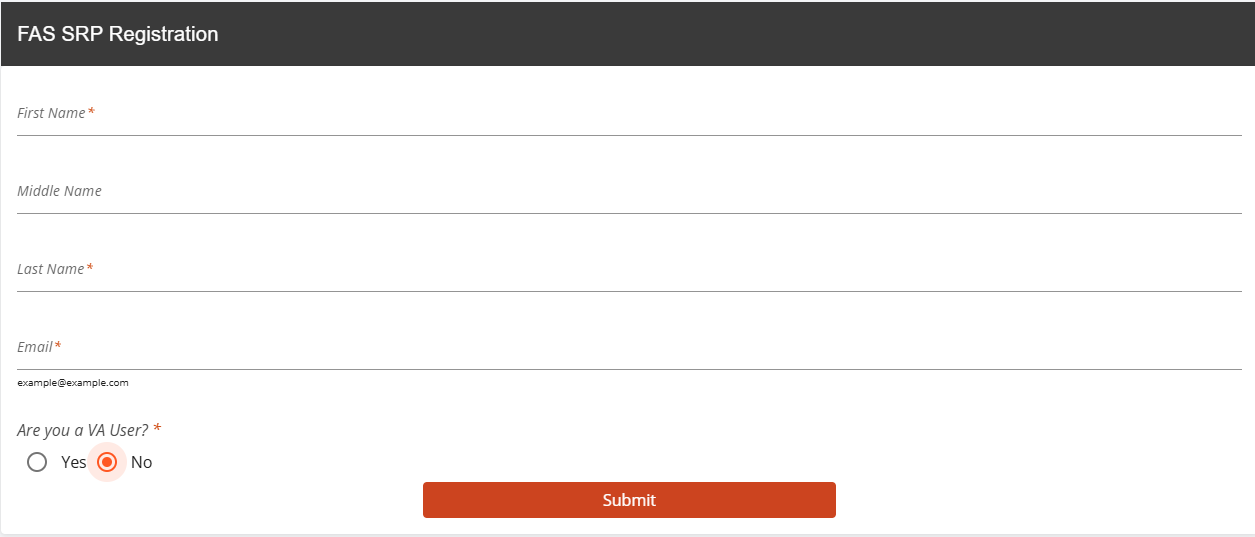
Figure 4: FAS SRP Registration Pre-Verification - If the credentials are successfully verified, FAS SRP will display a success screen with details for the next steps to activate an MFA account. FAS SRP will send an activation email to the provided email address to continue with the activation process.
- Enter your First Name, Middle Name (Optional), Last Name, and Email.
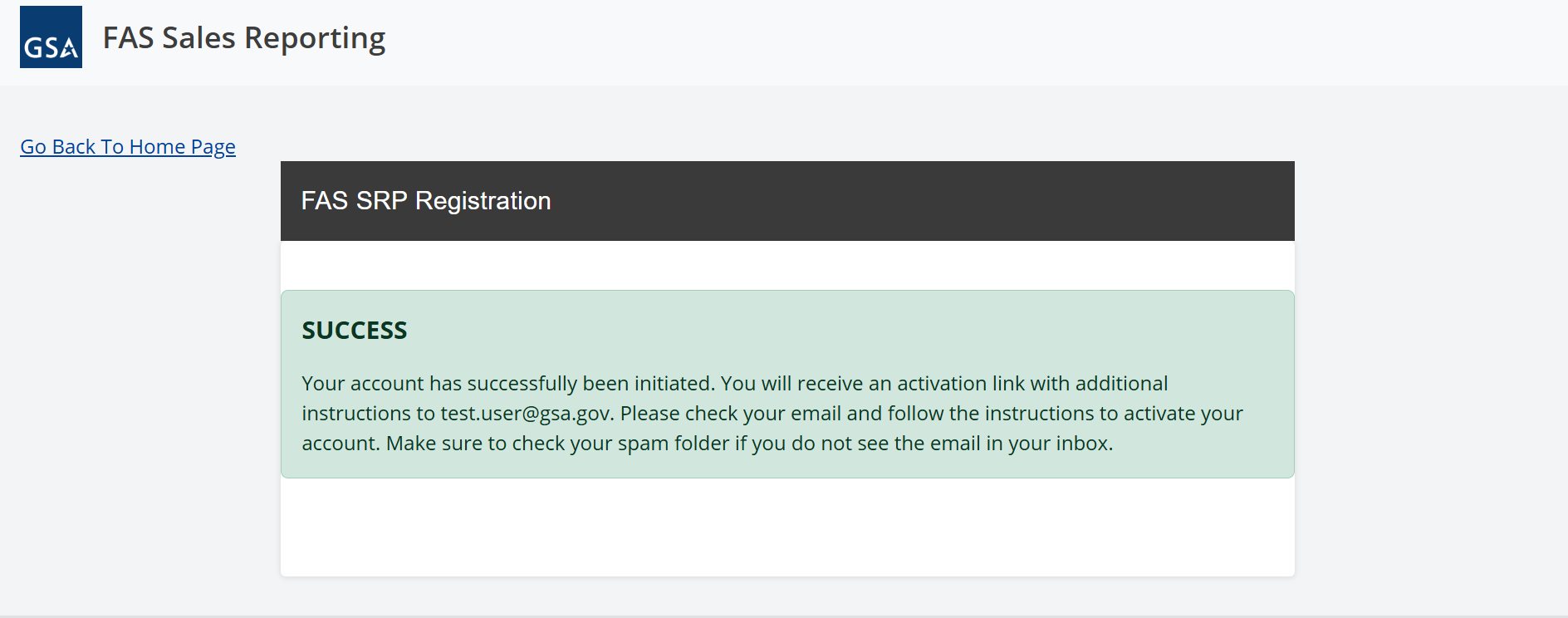
- After completing registration, return to the home page by selecting the Go Back to Home Page link. You must also check your email to activate your Multi-Factor Authentication (MFA).
If your email address is not associated with a recognized Contract POC role, access will be denied until contract records are updated.
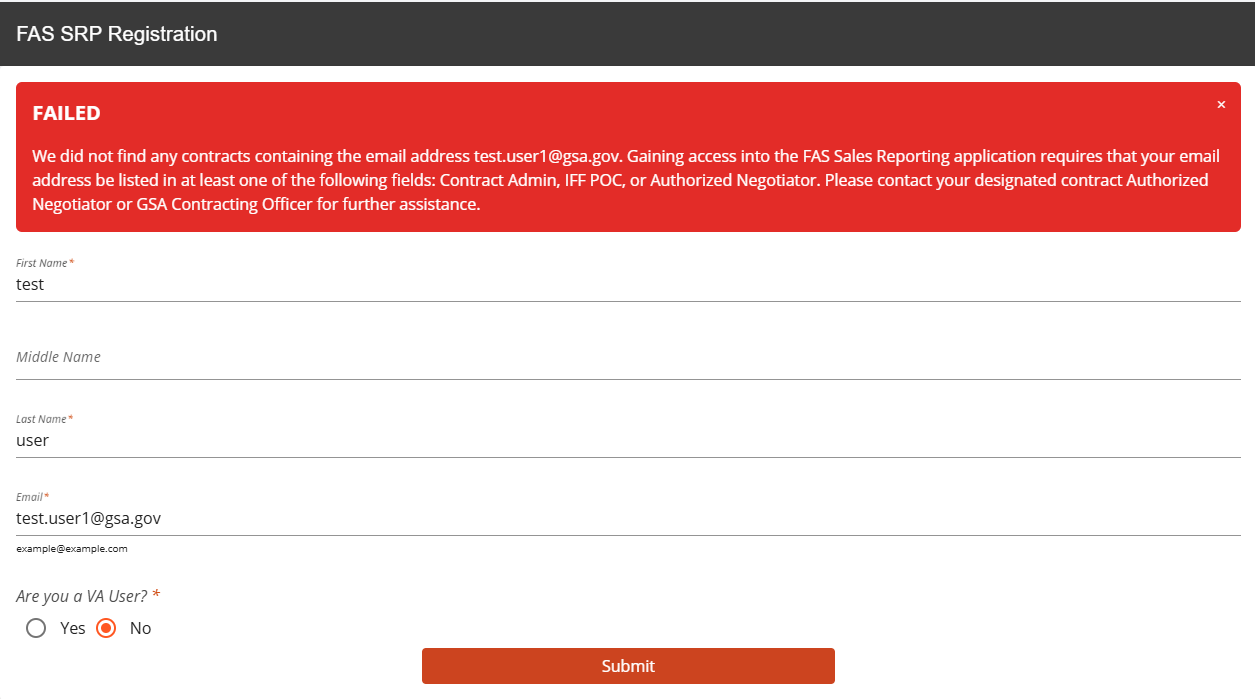
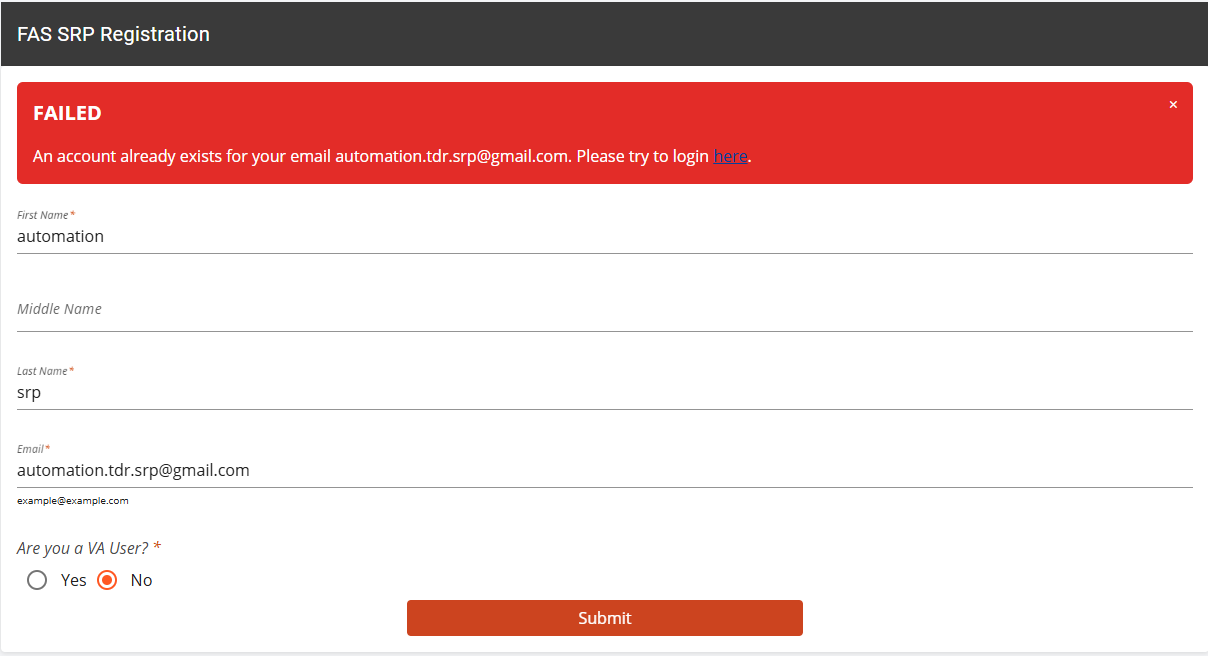
If a user has an existing multi-factor authentication account, when the user attempts to register, FAS SRP will provide the following message:
“An account already exists for email [Email Address]. Please try to login here (https://srp.fas.gsa.gov)”.