How to Report Sales Data
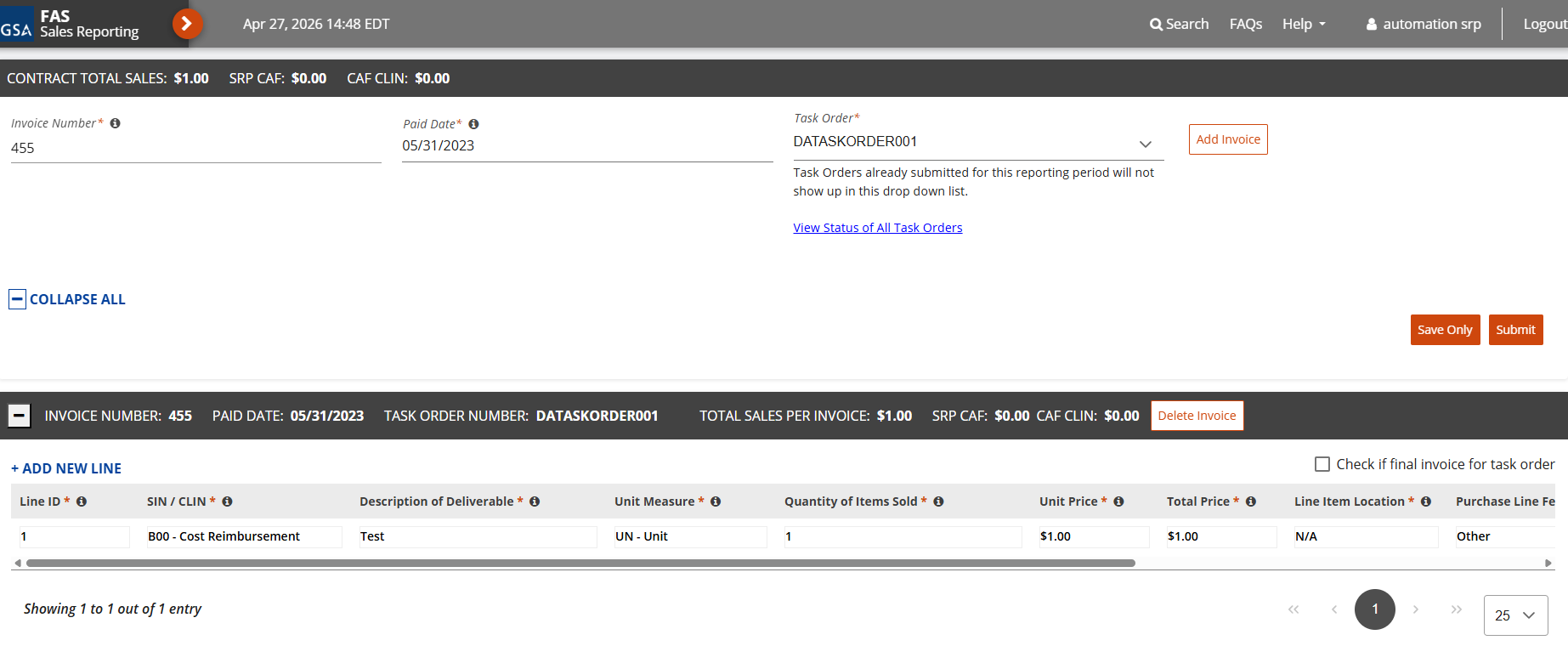
- Navigate to the Reporting panel on the left side of the navigation panel.
- Select Form Entry.
- Select your Contract Number.
- Enter a unique Invoice Number and select a Paid Date.
- Select a Task Order from the dropdown list.
- Click Add Invoice.
- Enter a Line ID.
- Select your SIN/CLIN from the dropdown list.
- Type the required data in the Invoice Table. You can tab through each field to enter data.
| |
|
| |
You can click + Add New Line to add additional SIN/CLINs. You can also add an additional invoice by following Steps 4-10. |
- Click + Add New Line.
- Repeat Steps 8-10 (if necessary).
| |
Save Only in between entries. |
- Click Submit when ready to report.
CAF CAP Thresholds
As part of Alliant 3 invoice entry, SRP tracks the cumulative reported sales (invoiced amount) for each Task Order Year and compares them against the applicable CAF CAP thresholds, depending on whether the Task Order is Direct Acquisition or Assisted Acquisition.
Direct Acquisition
- CAF CAP: $150,000
- Threshold: Applied once the contractor reaches $20 million in cumulative reported sales within a Task Order Year.
Assisted Acquisitions (Two-Tier CAF CAP Structure)
Assisted Acquisitions use a tiered CAF CAP that depends on the cumulative amount of reported sales under the Task Order:
- Tier 1 — $100,000 CAF CAP Threshold
- Applies while cumulative reported sales remain below $100 million (i.e., $0–$99,999,999.99).
- Once the contractor pays a total of $100,000 in CAF fees within the Task Order Year, no further CAF fees are collected unless the contractor crosses the next threshold in cumulative sales (e.g., over $100M).
- Tier 2 — $150,000 CAF CAP Threshold
- Triggered once cumulative reported sales reach or exceed $100 million.
- From this point forward (within the same Task Order Year), the contractor is required to pay CAF fees up to the Tier 2 cap of $150,000.
- Once the contractor pays a total of $150,000 in CAF fees within the Task Order Year, no further CAF fees are collected until the next Task Order Year, in a multiple year Period of Performance.
Important Notes on How CAF CAP Applies Over Multiple Task Order Years
- Cumulative reported sales do not reset each Task Order Year. Reported sales continue to accumulate across the entire Period of Performance and are always used to determine which CAF CAP tier ($100K or $150K CAF Fee) applies.
- What does reset each Task Order Year are the CAF payments made toward the applicable CAF CAP. At the beginning of a new Task Order Year, the contractor starts back at $0 paid toward the active CAF CAP tier, even though cumulative reported sales continue from prior years.
- Once cumulative reported sales exceed $100M, the contract permanently moves into the $150K CAF CAP tier for all remaining Task Order Years — unless reported sales are adjusted downward below the $100M threshold.
- Contractors will never return to the lower $100K CAF CAP tier in subsequent years unless reporting adjustments reduce the cumulative sales total below $100M.
CAF CAP Accumulation Card
A CAF CAP Accumulation card appears on the View Task Order Details page, for Alliant 3 contracts. This displays a summary of reported sales per Task Order Year and how much CAF has been paid.
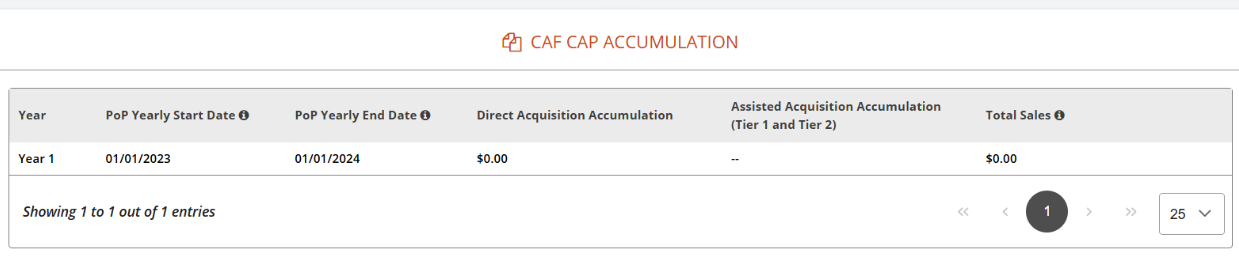
Note: Alliant 3 contracts will display a CAF CAP Accumulation card in place of the Subcontracting card on the View Task Order Details page.
System Warnings
For Alliant 3, SRP automatically displays threshold warning Pop-ups to alert contractors when their reported CAF payments approach or exceed the applicable CAF CAP for the Task Order Year.
These warnings are triggered when selecting payments on the Make Payments screen, based on the contractor’s cumulative CAF payments for the current Task Order Year.
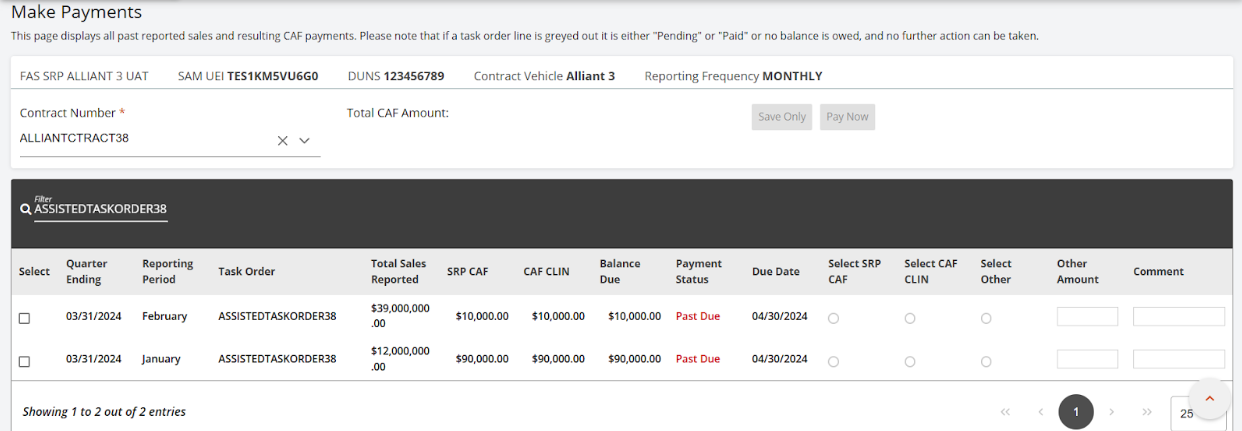
- At 90% of the applicable CAP: A warning pop-up appears at the top of the Make Payments screen. This pop-up appears as soon as the contractor selects a CAF payment that will bring the cumulative total to 90% of the annual CAP.
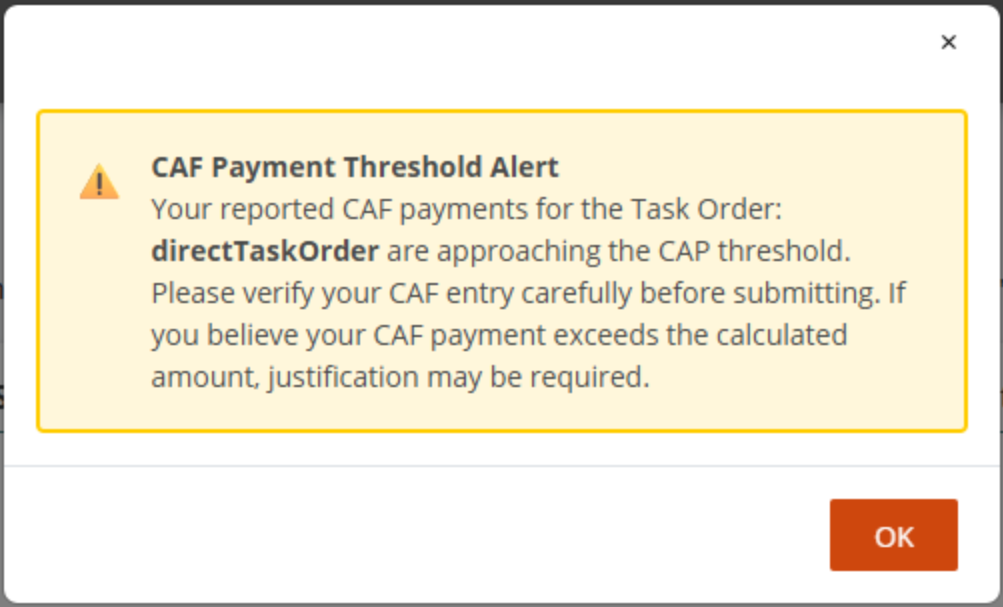
- At 100% of the applicable CAP: A warning pop-up appears, informing the contractor that the annual CAF CAP has been reached or exceeded. This pop-up appears as soon as the contractor selects a CAF payment that will push the cumulative total to or above 100% of the annual CAP.
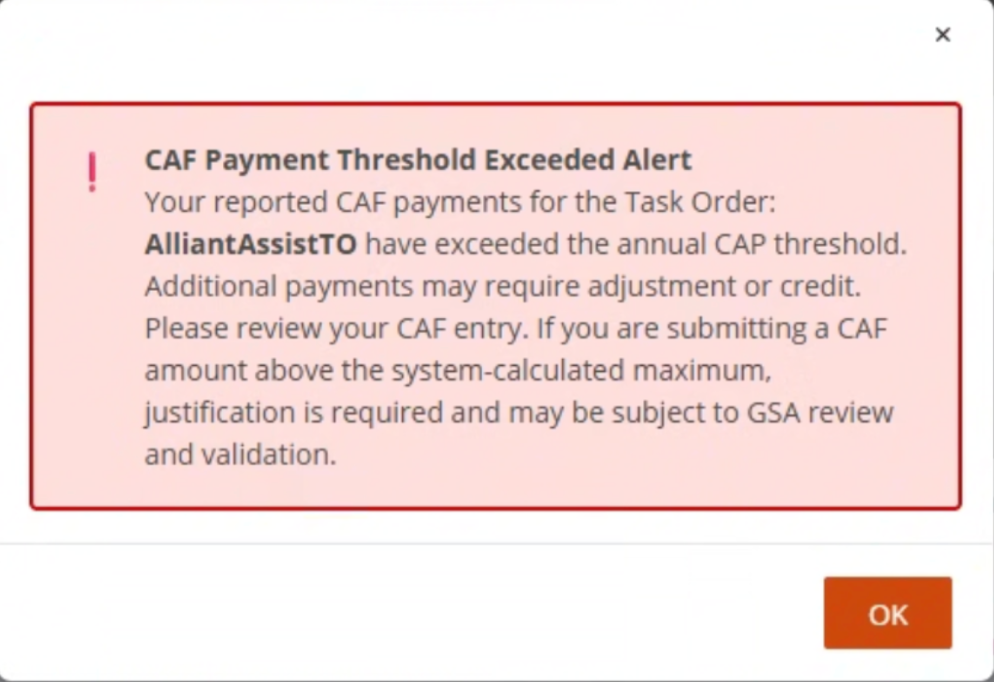
These warnings are informational only. Contractors may continue reporting sales/invoices and CAF amounts as required by their contract, but entries above the CAP may require justification and could be subject to GSA review.