How to Report Subcontracting Information
- Navigate to Task Order Management on the left side navigation panel.
- Select Review Task Orders/Mods.
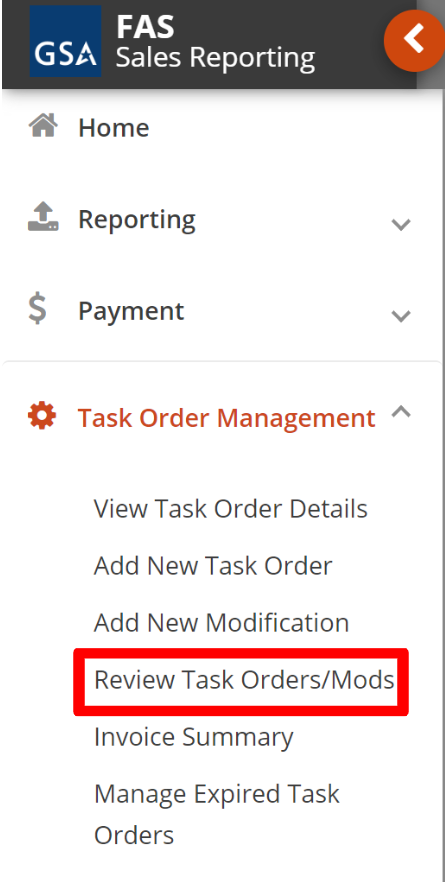 Figure 114: Review Task Orders/Mods
- Locate your Contract Number and Task Order Number/Modification Number.
- Click the Manage Task Order or the View Task Order button.
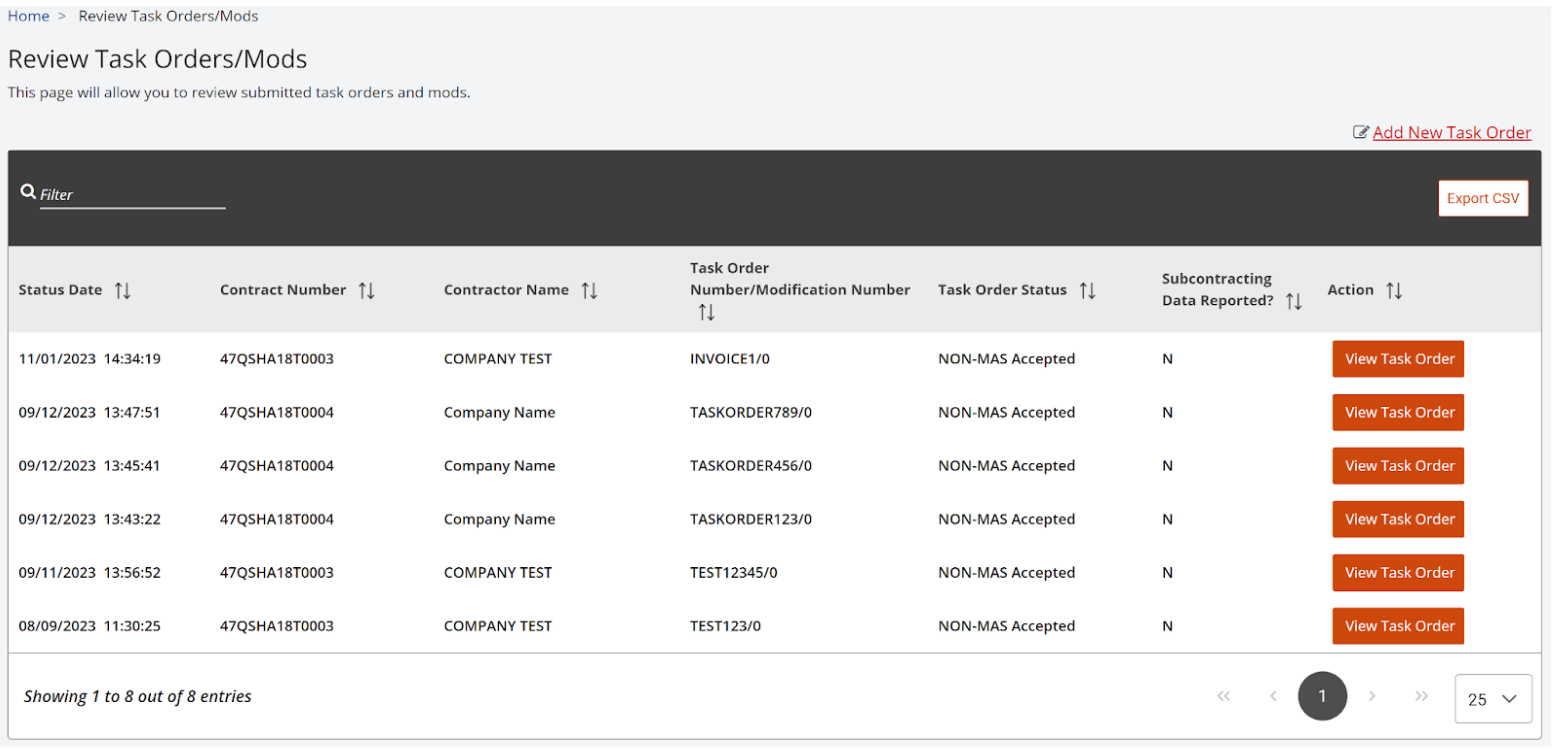 Figure 115: View Task Order
- Scroll down to the bottom of the screen and locate the Subcontracting Reporting section.
- Select a Reporting Period from the dropdown list.
- Enter Vendor Name.
- Enter a UEI number.
- Select Y or N from the dropdown list for ‘Similarly Situated Entity? Y or N’.
- Enter an amount in the Total Amount Subcontracted field and click Submit.
- Repeat steps to Report additional subcontracts (if necessary).
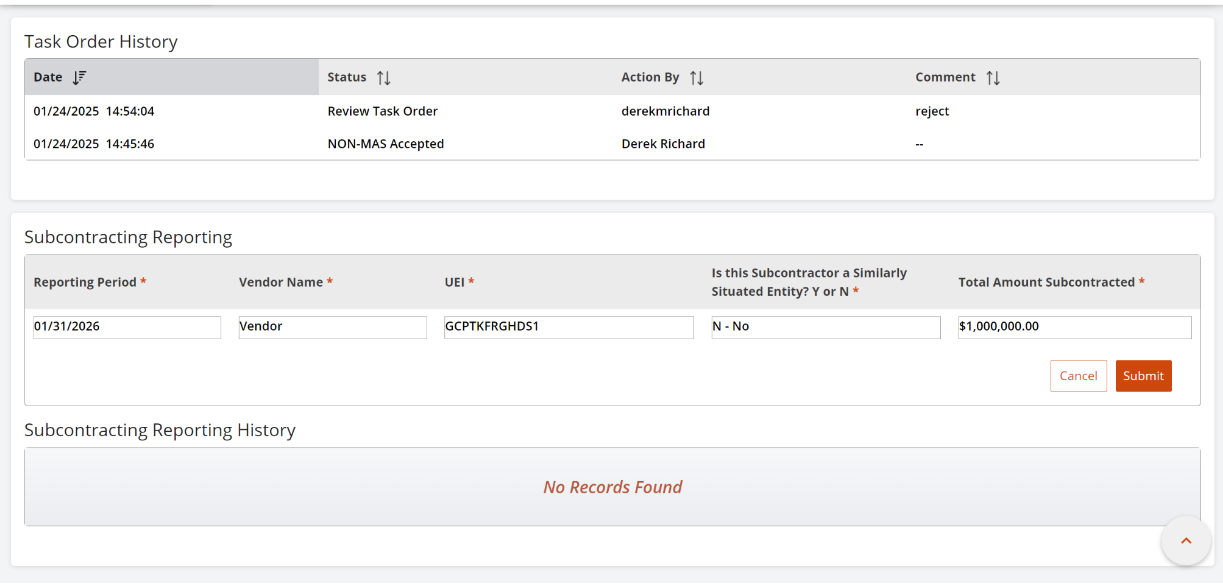 Figure 116: Subcontracting Reporting
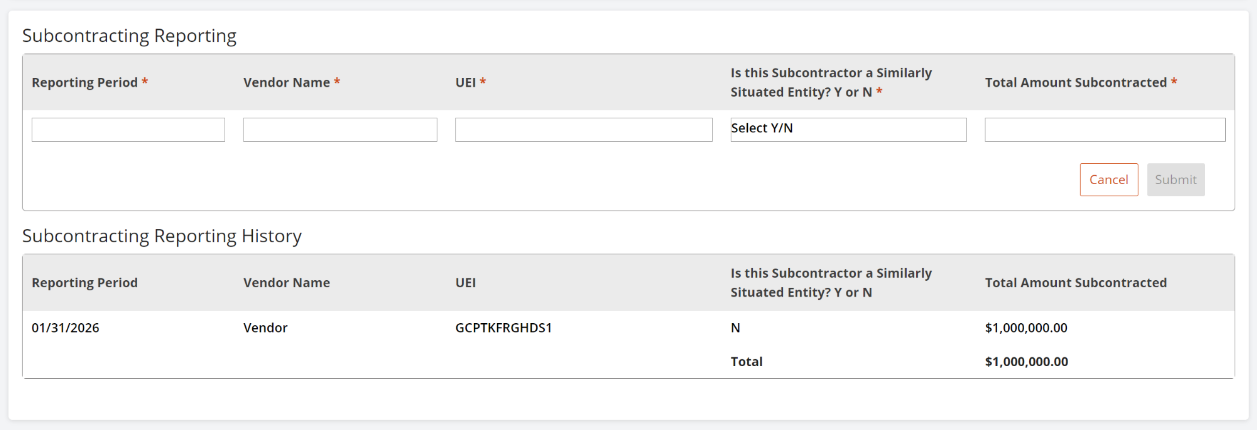 Figure 117: Subcontracting Reporting History